Install and first run
Fifteen minutes of your attention, and about an hour of waiting you can walk away from. No account, nothing to sign up for.
Download
Pick your platform from the download page. Five installers, all free:
| Platform | File | Size |
|---|---|---|
| macOS · Apple silicon | Armore-Edge-1.0.10-arm64.dmg | 123 MB |
| macOS · Intel | Armore-Edge-1.0.10-x64.dmg | 130 MB |
| Windows · x64 | Armore-Edge-Setup-1.0.10-x64.exe | 93 MB |
| Linux · deb | Armore-Edge-1.0.10-amd64.deb | 88 MB |
| Linux · AppImage | Armore-Edge-1.0.10.AppImage | 134 MB |
The command-line tool is a separate download from the same release. It is not inside the installer, and installing the app does not get you the binary.
gh release download v1.0.10 --repo uniQ-Ventures/armore-edge-public \
  --pattern 'armore-darwin-arm64' \
  --pattern 'armore-darwin-arm64.sigstore.json'
Pick the build for your platform — there are five, and unlike the app they cover arm64 on every OS. The command-line guide lists all twenty commands once you have it.
Verify it before you run it
The release carries 94 files: 47 payload files, each paired 1:1 with its own Sigstore bundle. No payload ships unsigned. You can check that a file came from our build pipeline without trusting us — the verification runs against a public transparency log, not against anything we control.
# download the artifact and its bundle, then:
cosign verify-blob \
  --bundle Armore-Edge-1.0.10-arm64.dmg.sigstore.json \
  --certificate-oidc-issuer https://token.actions.githubusercontent.com \
  --certificate-identity-regexp '^https://github.com/uniQ-Ventures/' \
  Armore-Edge-1.0.10-arm64.dmg

Verified OK
gh attestation verify returns 404 against these files. And the
top-level sha512 in a latest*.yml manifest names a
different artifact than you may expect — match your own filename in
the files: list.
Install
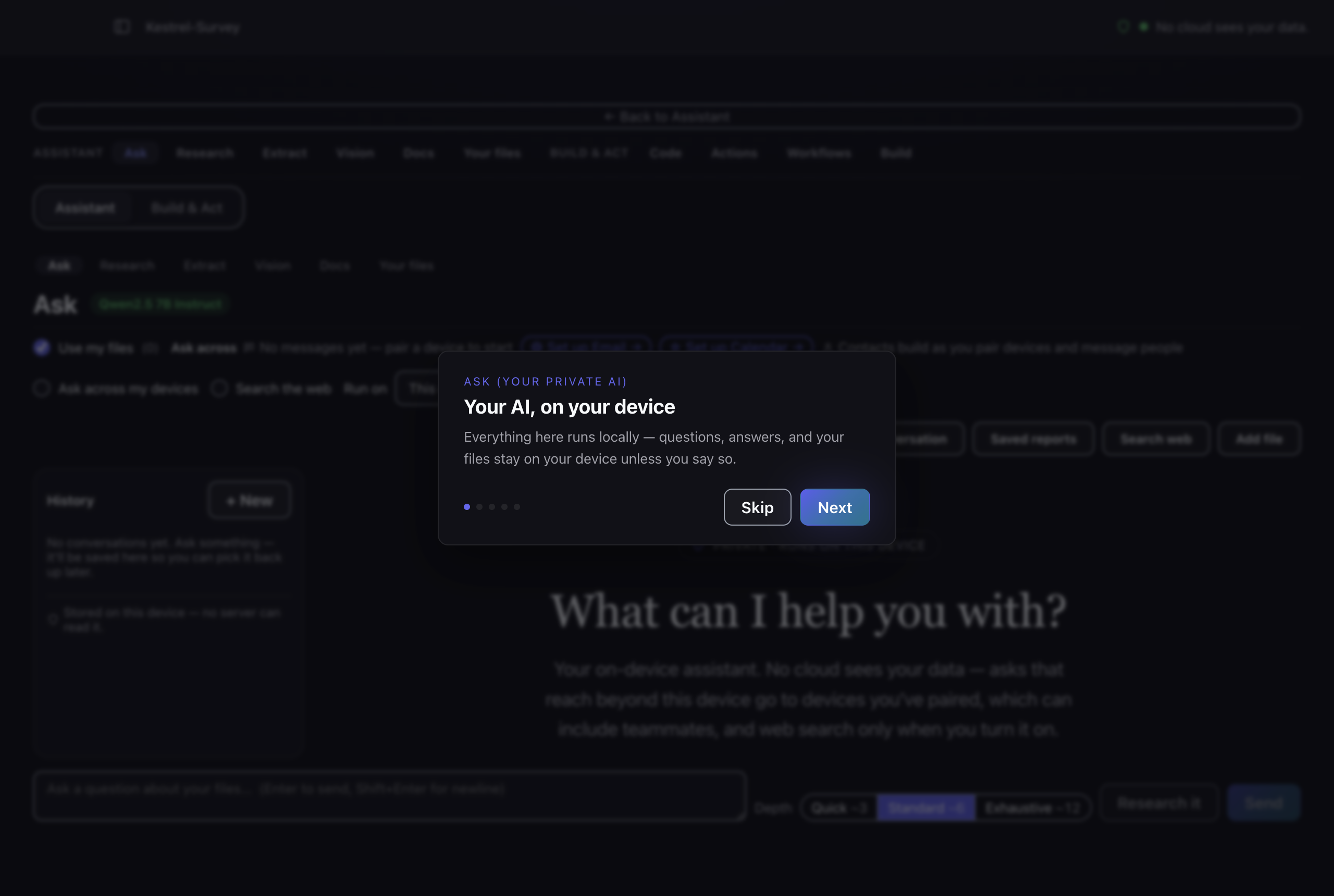
macOS is signed and notarised, so it installs normally.
There is nothing to install. The command-line tool is a single static binary —
make it executable and put it on your PATH.
chmod +x armore-darwin-arm64
mv armore-darwin-arm64 /usr/local/bin/armore
armore --help
.dmg is signed and notarised; this file is not the same
artifact.
First run downloads a model
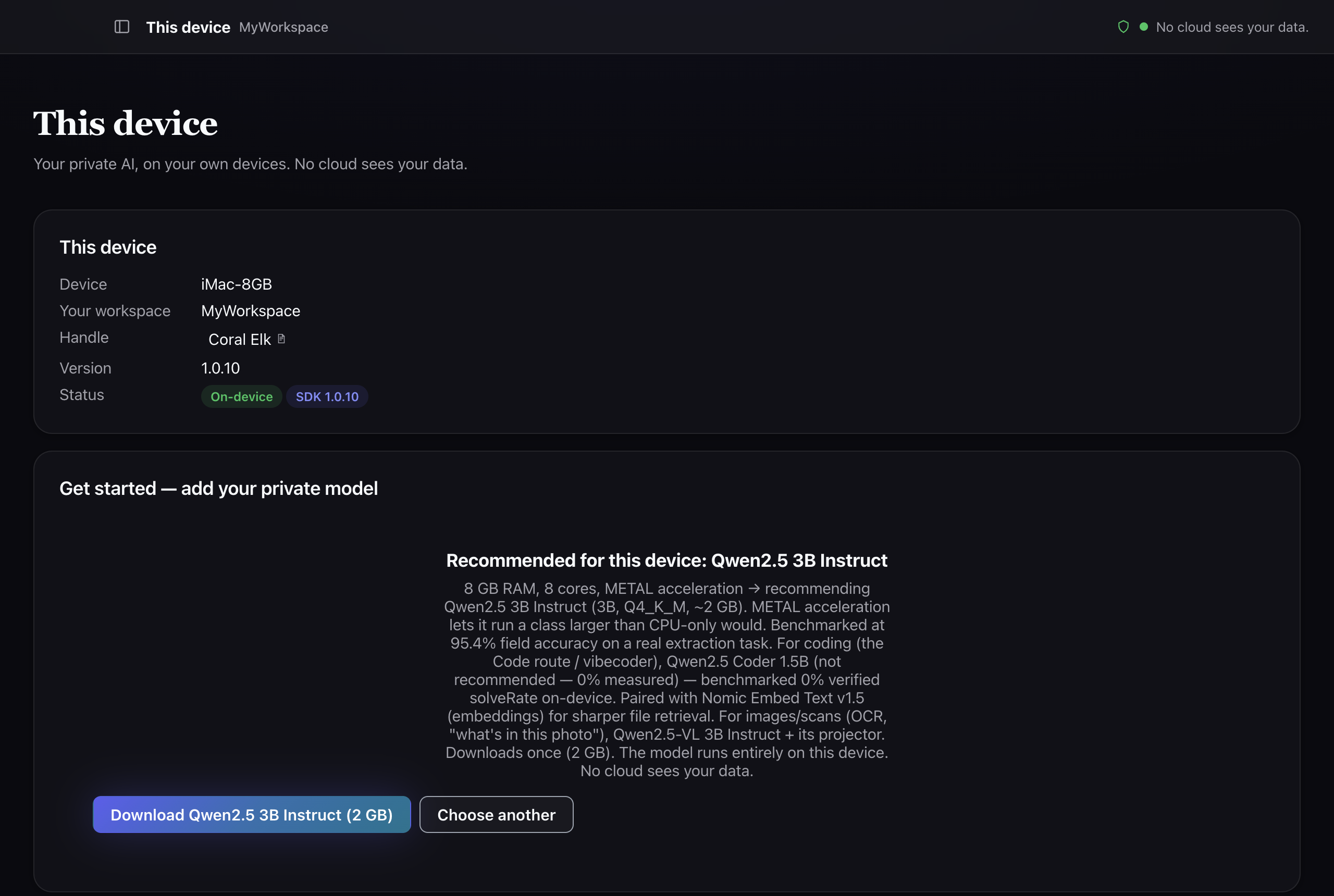
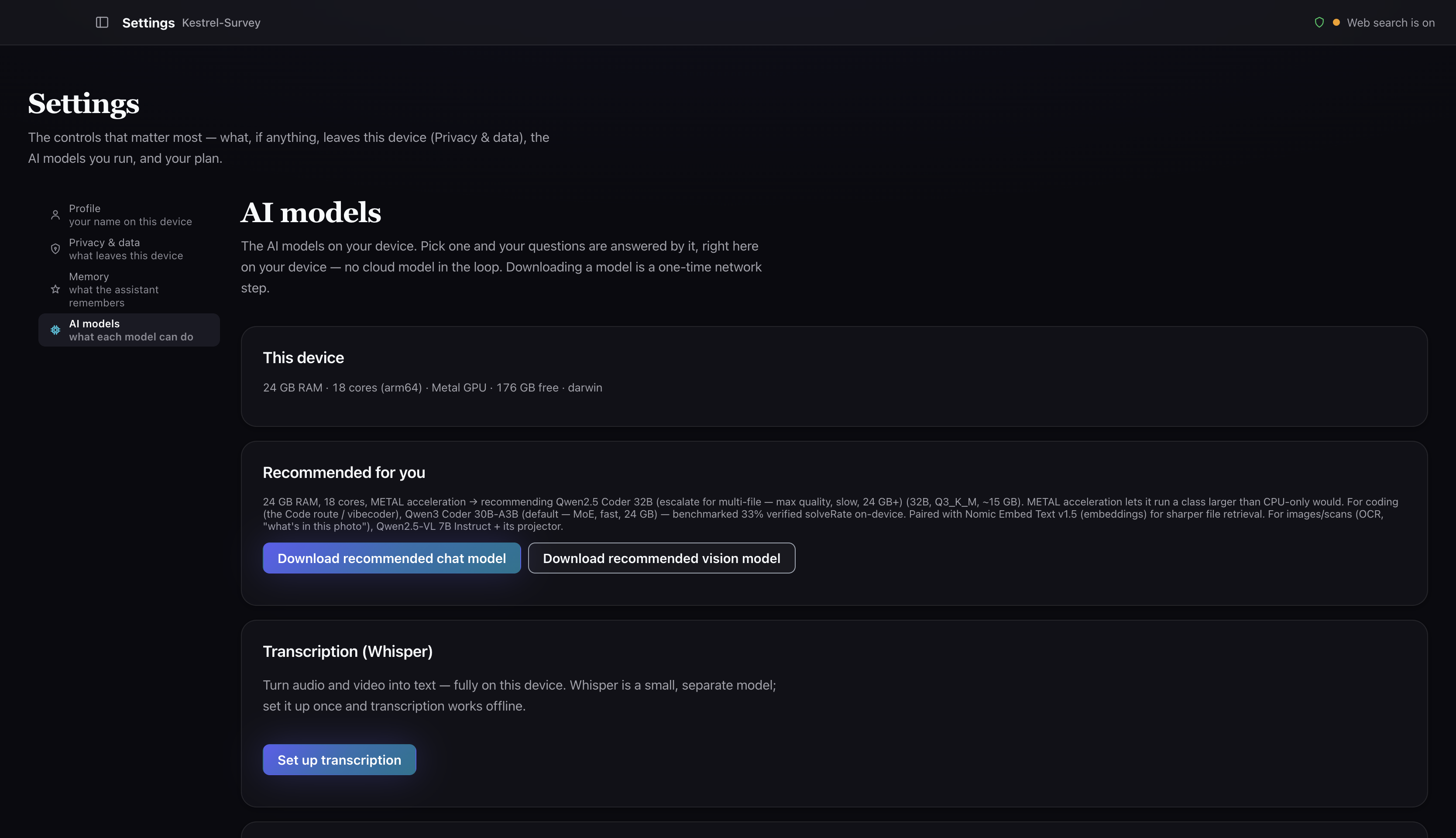
Armore Edge runs a real language model on your own hardware. It is not bundled in the installer — the app fetches it on first launch, after asking you. This is the slow part, and it is worth knowing the shape of it before you start.
| What | Measured |
|---|---|
| Model | Llama 3.1 8B Instruct (Q4_K_M) — third-party open weights we package; Armore did not train it |
| Size | 4,920,739,232 bytes (~4.9 GB) |
| Active download | 27 min 26 s on our connection |
| Realistic wall clock | ~46 min including verification |
After this, inference is local and works offline. You can confirm that for yourself
later with armore models capabilities, or by pulling your network
cable and asking it something.
The command-line tool does not download a model for you. You
point it at a .gguf file you already have, every time:
armore ask --json \
  --model ~/models/llama-3.1-8b-q8.gguf \
  "a question"
What you get
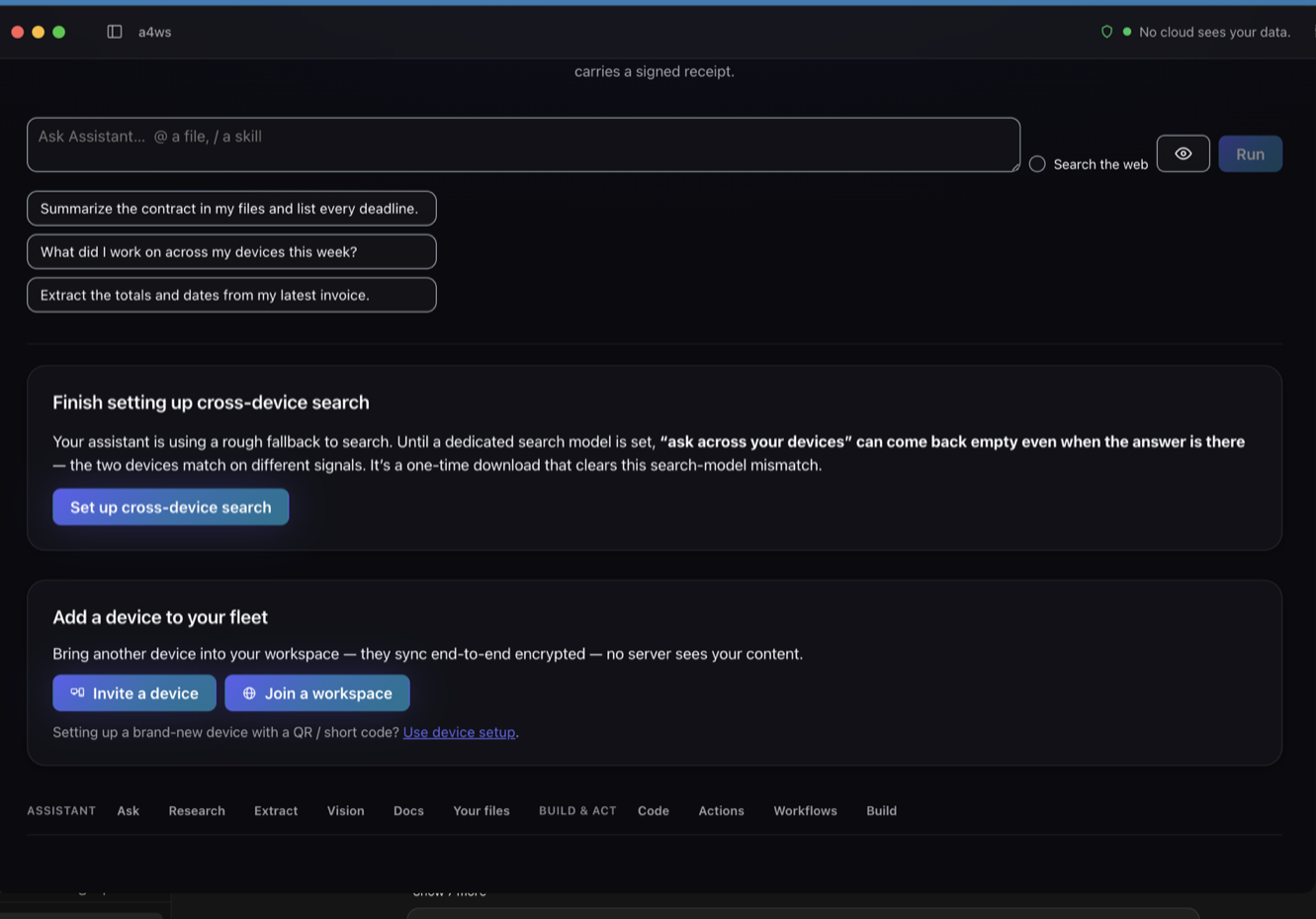
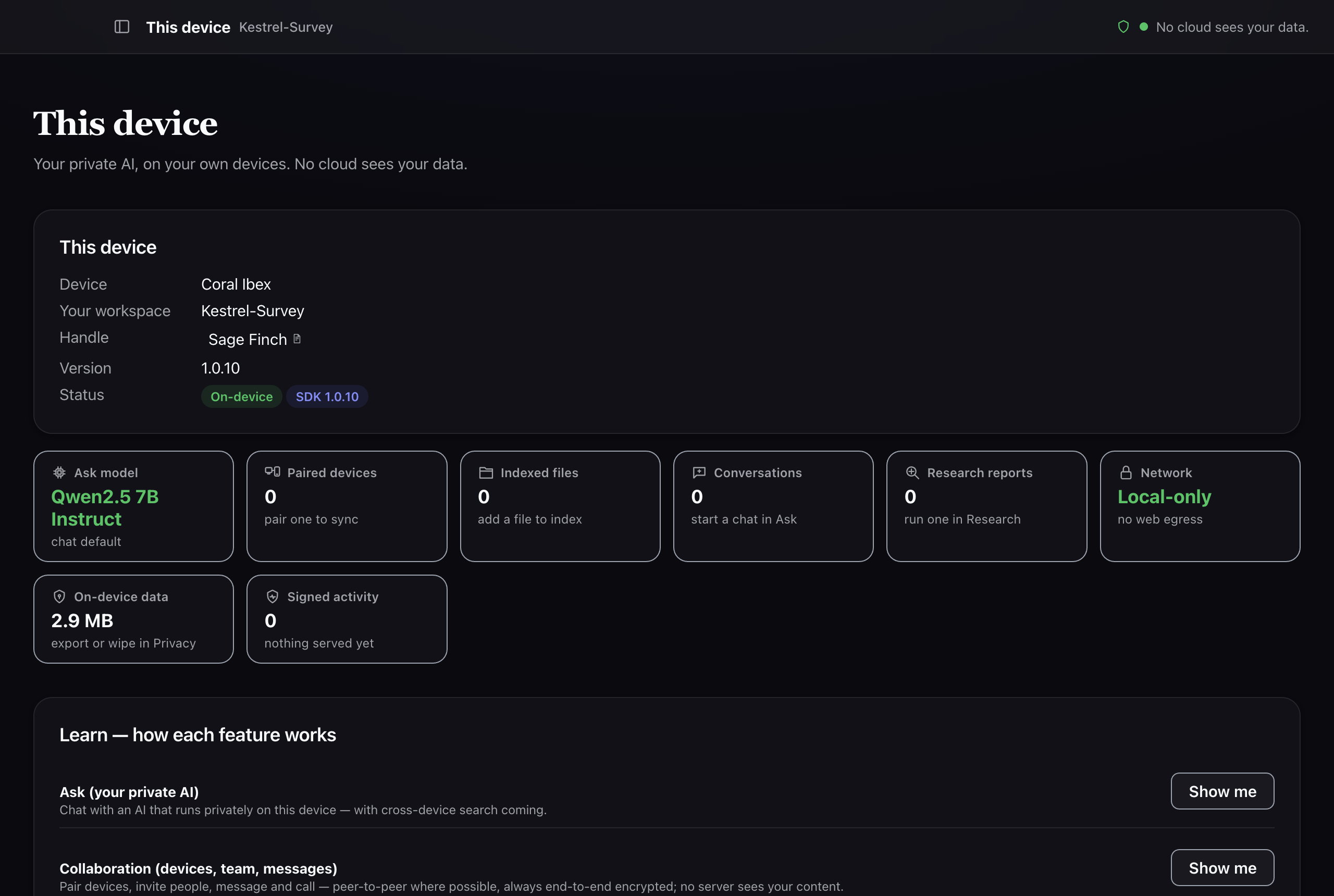
Ten surfaces, in two areas:
- Assistant — Ask, Research, Extract, Vision, Docs, Your files
- Build & Act — Code, Actions, Workflows, Build
Plus four destinations in the rail: This device, Collaboration, Activity and Settings.
No dashboard — you ask the binary what it can do, and it answers from the build you actually have rather than from a spec:
$ armore models capabilities
That reports the backends compiled into this binary. It is the honest check before you assume a feature is present: the command-line guide lists what each of the twenty commands refuses to do, which is usually more informative than what it does.