Let another machine do the work
A laptop with no model of its own can ask a machine that has one — over your own encrypted link, between devices you have already paired. The asking machine gets an answer; the serving machine does the inference.
Pair the two machines first
This runs over the same link as everything else in your workspace, so the machines have to know each other. Add a second device covers the pairing and the short code that makes it safe.
Turn sharing on, on the machine that will serve
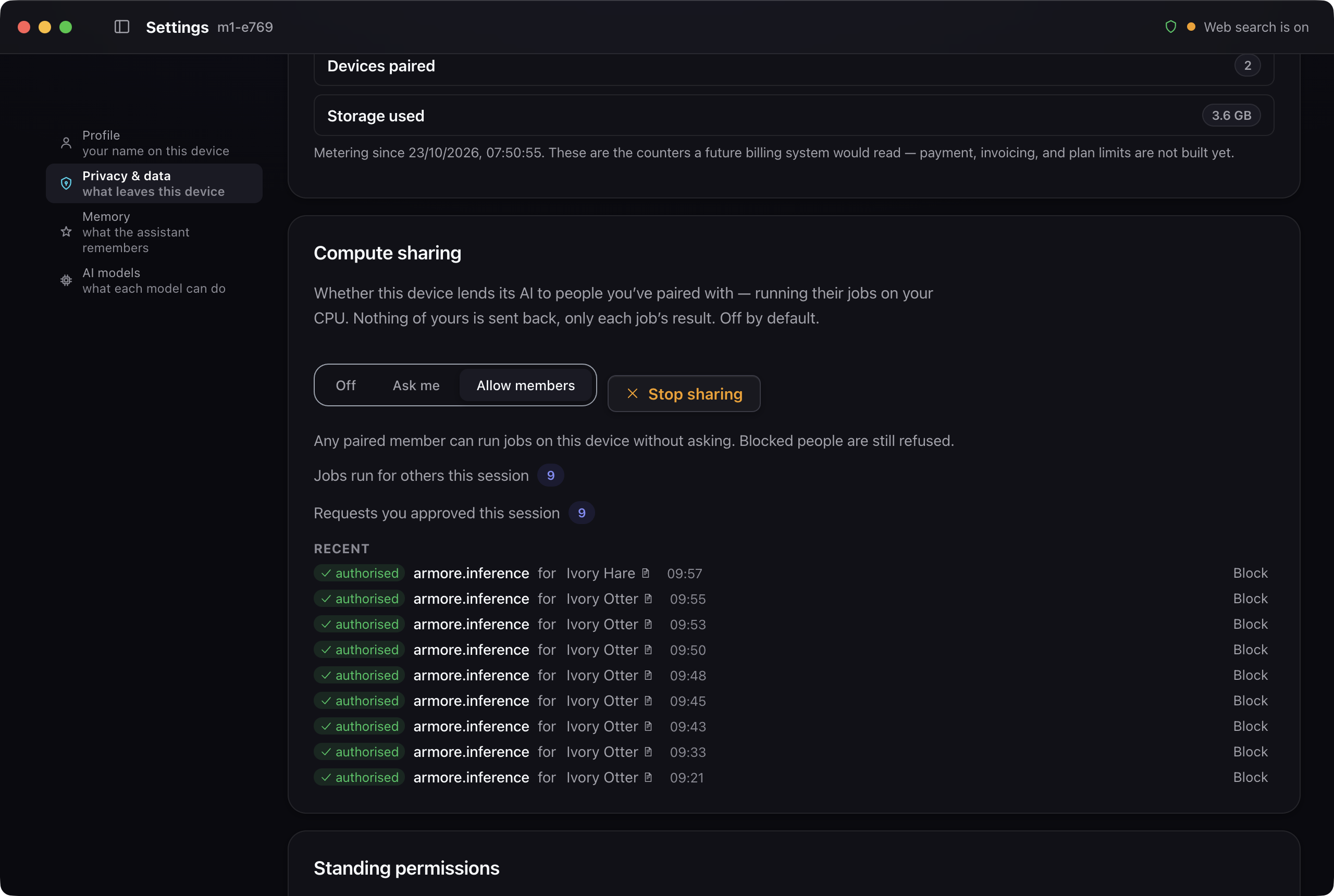
On the machine with the model, open Settings → Privacy & data → Compute sharing and choose Allow members. The same panel offers Stop sharing, and it is the only switch involved — there is no standing grant to forget about.
Ask from the other machine
Nothing changes on the asking side. Ask as you normally would; if that machine has no model of its own, the work goes to the paired machine that does and the answer comes back. The serving machine's counters go up and the job appears in its recent list.
What this does not do yet
We have run this between two machines. With more than two paired and able to serve, we are not yet confident the right one answers every time, so treat a larger set as early rather than finished. The recent-jobs list also labels every row authorised, including rows that ran to completion — if your two counters ever disagree, that list will not tell you which rows did the work.
This is your own machines helping each other. Sharing a workspace with another person is a different thing and is not finished yet.